Deploying a Grit App to Laravel Cloud: A Field Guide
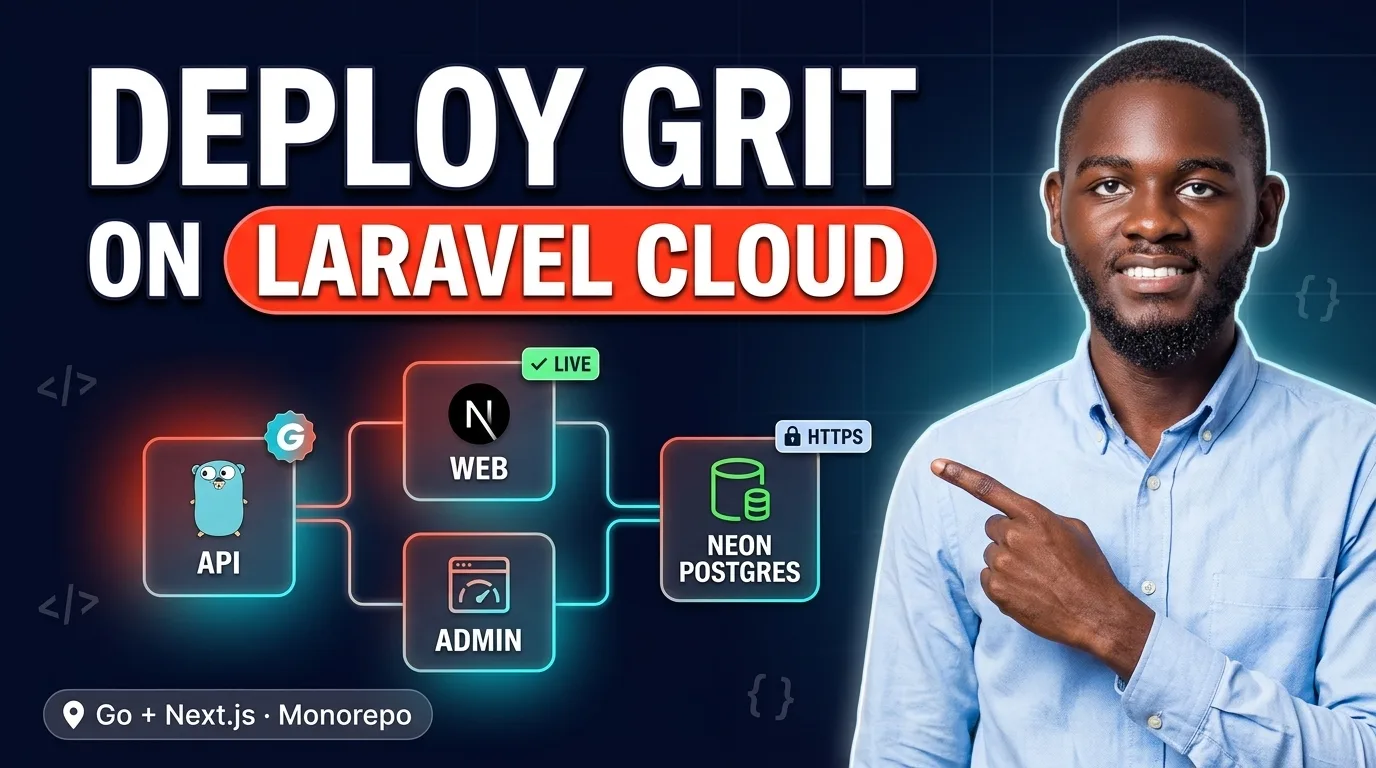
Laravel Cloud no longer runs only Laravel. It now builds and hosts Go services and Next.js apps too, and it deploys several apps from one monorepo. That makes it a strong home for a Grit project: a Go API and two Next.js frontends that share a repository, with managed TLS, zero-downtime releases and scale-to-zero compute.
I recently shipped a Grit "triple" (Go API, web app and admin panel) to Laravel Cloud, with Postgres on Neon. It works well, but getting there meant working through about a dozen problems. Most don't announce themselves: a deploy that goes green and serves nothing, a login that succeeds and then returns 401 on every request, an upload the server signs and the browser silently refuses.
This guide collects those lessons, so you can do it in an afternoon rather than a weekend. The last section is addressed to Grit's maintainer. Each of these problems could be solved once, in the framework, rather than in every project.
The shape of the deployment
                 Laravel Cloud (one region)
 browser ──▶ crm-web    apps/web    Next.js ─┐   /api/* relayed
 browser ──▶ crm-admin  apps/admin  Next.js ─┼──────────────▶ crm-api  apps/api  Go
                                             │                  │
                                             │   Object Storage (R2) bucket
                                             ▼                  ▼
                               Neon Postgres (same region): pooled for the app, direct for migrations
Laravel Cloud has first-class monorepo support. Connect the repository three times, and each time pick a different root directory. The result is three independent Cloud applications, each with its own variables, scaling and domain.
| API | Web | Admin | |
|---|---|---|---|
| Root directory | apps/api |
apps/web |
apps/admin |
| Runtime | Go (read from go.mod) |
Node.js 22 | Node.js 22 |
| Build command | sh ../../scripts/cloud/build-api.sh |
sh ../../scripts/cloud/build-next.sh web |
sh ../../scripts/cloud/build-next.sh admin |
| Start command | ./app |
HOSTNAME=0.0.0.0 node .next/standalone/apps/web/server.js |
HOSTNAME=0.0.0.0 node .next/standalone/apps/admin/server.js |
| Deploy command | sh scripts/cloud-migrate.sh |
none | none |
The reasons for each of those commands follow.
1. Put the database next to the API
Neon's serverless Postgres pairs naturally with Cloud's scale-to-zero compute. Create the Neon project in the same AWS region as your Cloud apps. After I did, database latency from the API measured about 3 ms; from a laptop in Kampala, the same queries took around 300 ms.
Neon gives you two connection strings, and a Grit app wants both:
DATABASE_URL, the pooled endpoint (PgBouncer), for the running app. Grit's GORM setup already uses pgx's simple protocol, which is what a transaction-mode pooler needs.DATABASE_URL_UNPOOLED, the direct endpoint, for migrations. DDL and advisory locks belong on a real session.
Create a development branch next to production, too. It is a full copy you can migrate first when a change looks risky.
2. Only the root directory ships, so build standalone
This is the first thing that bites. At build time the whole repository is present, but only the app's root directory is deployed. In a pnpm workspace the dependencies live in the repository root's node_modules. next build succeeds, and then next start finds nothing at runtime.
Grit already sets output: "standalone", which traces every file the server needs into .next/standalone. The build script installs from the workspace root, builds, and copies in the two things standalone leaves out:
cd "$ROOT"
NODE_ENV=development pnpm install --frozen-lockfile --filter "@crm-app/$APP..."
pnpm --filter "@crm-app/$APP" build
cp -R "$APP_DIR/.next/static" "$STANDALONE/.next/static"
cp -R "$APP_DIR/public"       "$STANDALONE/public"
NODE_ENV=development on the install is deliberate. Cloud builds with NODE_ENV=production, and pnpm would then skip the devDependencies (TypeScript, Tailwind) that the build needs.
Two details on the start command:
HOSTNAME=0.0.0.0stops Next from binding only to the container's hostname.- The start command can only be set in the dashboard. The REST API and the CLI accept the field and ignore it.
3. Give every root directory a lockfile
Cloud refuses to build a root directory that has no lockfile of its own: "No lockfile … was found." A pnpm workspace has exactly one, at the root. Rather than copying it, commit a symlink in each frontend:
cd apps/web && ln -s ../../pnpm-lock.yaml pnpm-lock.yaml
On Windows without Developer Mode you can't create the link on disk, but you can write it straight into Git:
H=$(printf '%s' '../../pnpm-lock.yaml' | git hash-object -w --stdin)
git update-index --add --cacheinfo 120000,$H,apps/web/pnpm-lock.yaml
git update-index --skip-worktree apps/web/pnpm-lock.yaml
4. Build the Go API the way Grit lays it out
Cloud pre-fills go build -o app . for Go. A Grit API's main package lives in cmd/server, so that command fails. Build the server, and build the migrator and seeder as binaries too. The deployed container has no Go toolchain, so go run isn't available there:
CGO_ENABLED=0 go build -trimpath -ldflags="-s -w" -o app        ./cmd/server
CGO_ENABLED=0 go build -trimpath -ldflags="-s -w" -o bin/migrate ./cmd/migrate
CGO_ENABLED=0 go build -trimpath -ldflags="-s -w" -o bin/seed    ./cmd/seed
The deploy command runs migrations before the new release takes traffic. If they fail, the release stops and the previous one keeps serving:
[ -n "${DATABASE_URL_UNPOOLED:-}" ] && export DATABASE_URL="$DATABASE_URL_UNPOOLED"
exec ./bin/migrate
Create the first admin once from the API's Commands tab with ./bin/seed. Set SEED_ADMIN_PASSWORD first; Grit refuses a weak one outside development, which is exactly right.
5. Listen on PORT
Cloud's proxy sends traffic to the port in PORT. Grit's API read APP_PORT. That is the worst kind of failure: the deployment goes live, and nothing answers. The fix is one line in the config, with PORT winning:
Port: firstNonEmpty(os.Getenv("PORT"), os.Getenv("APP_PORT"), "8080"),
6. The cookie problem: laravel.cloud is a public suffix
This is the most important section.
Grit's API signs users in with HttpOnly, SameSite=Lax cookies. The browser attaches them when the admin app calls the API, as long as both are on the same site. admin.example.com and api.example.com are the same site.
crm-admin-production.laravel.cloud and crm-api-production.laravel.cloud are not. laravel.cloud is on the Public Suffix List, the same list that makes github.io and vercel.app behave like .com. Each Cloud app is therefore its own site, and the browser never sends a Lax cookie between them. The symptom is confusing: sign-in returns 200, and every request after it returns 401.
There are two correct answers:
A custom domain. Put app., admin. and api. under one domain you own. No code changes are needed.
A same-origin relay, for staying on the free hosts. The browser only ever talks to its own frontend. Each Next app forwards /api/* to the API in its proxy.ts (Next 16's replacement for middleware), so the cookies are first-party on that frontend's host:
export function proxy(request: NextRequest) {
  const target = process.env.API_PROXY_TARGET;
  if (!target) return NextResponse.next();
  const url = new URL(request.nextUrl.pathname + request.nextUrl.search, target);
  const headers = new Headers(request.headers);
  headers.delete("host");
  // …client IP and scheme, below…
  return NextResponse.rewrite(url, { request: { headers } });
}
export const config = { matcher: "/api/:path*" };
A relay has two consequences you must handle, or the security model quietly degrades:
- Client IPs. Every request now reaches the API from the frontend server. Rate limits and login lockouts would treat all your users as one. The frontend therefore sends the real client address in a header, together with a shared secret (
API_PROXY_SECRET). A small middleware on the API believes that header only when the secret matches, and strips it from everyone else. Without that check, any browser could claim any IP. - HTTPS. Behind Cloud's gateway, the hop into Next is plain HTTP, so
X-Forwarded-Protosayshttpfor a page the browser loaded over HTTPS. Report that literally, and the API sets auth cookies without theSecureflag. Treat any HTTPS evidence as HTTPS, and default to HTTPS in production (Cloud redirects HTTP anyway).
7. Object storage: two hostnames
Attach a Cloud Object Storage bucket (Cloudflare R2 underneath) as the API's default disk. Cloud injects AWS_BUCKET, AWS_ENDPOINT_URL, AWS_REGION and the credentials. Teach the S3 driver to fall back to those names, and attaching the bucket is all the configuration you need.
The surprise is that the bucket has two hostnames. Files are served from fls-….laravel.cloud, but presigned uploads go to ….r2.cloudflarestorage.com. Grit's Content-Security-Policy listed only the first. The API signed every upload, and the browser then refused the PUT: "That picture did not upload." Add the upload endpoint to connect-src, and give the bucket a CORS rule for your frontend origins.
You'll also see a harmless boot warning: R2 doesn't implement PutBucketPolicy. In a public R2 bucket, every object is public, so keep backups in a private bucket of their own.
8. What Cloud does not do (yet)
- WebSockets to your own app. Cloud's edge drops the
Upgradeheader before requests reach the container. Its only WebSocket offering is managed Reverb, which speaks the Pusher protocol, and Grit's realtime hub doesn't. Everything else works; pages simply don't live-update. The client backs off to one retry every 30 seconds per tab. - Sleeping a busy cache. A Flex Valkey cache is meant to sleep when idle. Grit's job worker polls it constantly, so it never sleeps: roughly $7 a month for the smallest size. Budget for it, or run without Redis. Without Redis, Grit turns background jobs and cron off and says so clearly at boot.
9. Production guards that are doing their job
Grit refuses to boot in production with a placeholder Resend key, and also with MAIL_MAILER=log, because reset links would end up in logs. Both refusals are right. Until you have a verified sending domain, opt in knowingly with MAIL_ALLOW_LOG_IN_PRODUCTION=true, and remove it the day real mail works.
10. Ship only what passed CI
Cloud's push-to-deploy ships a commit before its tests run. Turn it off and enable deploy hooks instead. A small GitHub Actions workflow then triggers the hooks after CI succeeds on main: the API first, because it migrates, then the frontends. Pair that with a secret scan (gitleaks over the full history), a pre-commit hook that blocks .env files and pasted database URLs, and a .gitignore that ignores every .env* except the examples.
Checklist
- Neon project in the same region as your Cloud apps; pooled URL for the app, direct URL for migrations
- Three Cloud apps, one per root directory; Node 22 for the frontends
- Build commands from section 2 and section 4; start commands set in the dashboard
-
pnpm-lock.yamlsymlink in each frontend root - API reads
PORT; migrations run as the deploy command - A custom domain, or the same-origin relay with
API_PROXY_SECRETand HTTPS detection - Bucket attached as the default disk; its upload endpoint in the CSP
connect-src; CORS for your frontends - A cache only if you need jobs and cron, and are willing to pay for it
- Push-to-deploy off, deploy hooks triggered by CI
- Seed the admin with a strong
SEED_ADMIN_PASSWORD, then change the email and password in the profile
For Grit's maintainer: making this a one-command deploy
JB, every item above is something Grit could absorb, so the next developer never meets it. In rough order of impact:
grit deploy laravel-cloud. Laravel Cloud's REST API can create the three applications with their root directories, set variables, build and deploy commands and Node version, attach buckets and caches, and trigger deploys. Only the start command still needs the dashboard. Grit knows its own layout, so it could do all of that from one command.- Read
PORT. PreferPORToverAPP_PORT. Every PaaS sets it. - Ship the Cloud build scripts. Standalone assembly for the Next apps, and server, migrate and seed binaries for the API, as scaffolded files. Cloud's defaults can't know Grit's
cmd/serverlayout. - Lockfile symlinks in
apps/webandapps/adminat scaffold time. - Relay mode as a built-in option. The same-origin proxy, the secret-checked client-IP middleware and the HTTPS detection are generic. Any Grit app on a public-suffix host (
*.laravel.cloud,*.vercel.app,*.onrender.com) needs them. - A cross-site warning. At boot, if
CORS_ORIGINSand the API host have different registrable domains, say thatSameSite=Laxcookies won't be sent, rather than letting sign-in fail silently. - Understand split storage hostnames. Accept the
AWS_*names Cloud injects, and add the S3 endpoint origin to the CSP whenever presigned uploads go to a different host than public reads. - A realtime fallback. Server-Sent Events or long polling, for hosts that don't pass WebSocket upgrades.
- An idle-friendly job worker. Blocking reads, or a backoff when queues are empty, would let scale-to-zero caches actually sleep.
grit doctor --target laravel-cloud. A preflight that checks everything above before the first deploy.
One framework bug turned up while publishing this post. wafExcludedRoutes exempts /blogs/* from WAF body inspection, but the admin writes posts through /admin/blogs/*. A post containing a shell snippet such as ../ or $( can therefore be published, but every edit is refused with a 403, logged as path traversal and command injection. Adding the /admin/<resource> routes to the list fixes it.
None of this is a criticism. Grit's production defaults — refusing weak secrets, refusing log mail in production, refusing SQLite and local disk without an explicit opt-in — caught real mistakes during this deployment. The framework is close to being deployable on Laravel Cloud with a single command.
Built with Grit — Go + React. Deployed on Laravel Cloud, with Postgres on Neon.